





简体中文 | English | 日本語
Website | Quick Start | Upgrade to 4.0 | Changelog | Update channel | Telegram group
# About

AutoBangumi is an RSS-based tool that downloads and organizes anime automatically. Subscribe to a series on a site such as [Mikan Project][mikan]. AutoBangumi parses the torrent titles, makes download rules, and sends the torrents to your downloader. It then gives the finished files folder and file names that [Plex][plex] and [Jellyfin][jellyfin] can identify without manual scraping.
## Core features
- RSS parser that operates without user action. It parses series data and makes download rules. It supports Mikan, DMHY, Nyaa and aggregated RSS feeds.
- Built-in Mikan and TMDB metadata parsers. Optional LLM title parser (OpenAI-compatible APIs, Anthropic Claude, Google Gemini).
- Collection of missed episodes when you subscribe in the middle of a season. Movies, OVA, OAD and SP releases go into their own folders.
- Release preference per series: set the subtitle group and resolution to prevent duplicate downloads of one episode.
- Setup wizard on first start. In-app update check, apply and rollback, with sha256 and ed25519 signature checks.
- Downloaders: qBittorrent, aria2.
- File organization and rename:
```
Bangumi
├── bangumi_A_title
│ ├── Season 1
│ │ ├── A S01E01.mp4
│ │ └── A S01E02.mp4
│ └── Season 2
│ └── A S02E01.mp4
└── bangumi_B_title
└── Season 1
```
```
[Lilith-Raws] Kakkou no Iinazuke - 07 [Baha][WEB-DL][1080p][AVC AAC][CHT][MP4].mp4
>>
Kakkou no Iinazuke S01E07.mp4
```
## New in 4.0
- **Plugin runtime**: Search sites, notifiers, rename methods, downloaders and other extension points use the `ab_sdk` contracts. Built-in plugins: `ingest-filters` (global include filter), `rename`, `hardlink` and `media-server-refresh` (refreshes Jellyfin / Emby / Plex after organization).
- **Multiple downloader instances**: You configure downloaders in `plugins.instances`. `plugins.slots.downloader` sets the default instance. For a new torrent, AutoBangumi selects the downloader in this order: rule, subscription, default instance.
- **Hardlink plugin `hardlink`**: Disabled by default. After organization, it links the episodes and subtitles into the library folder. The download folder continues to seed. `path_map` changes paths for each downloader instance. Across file systems, it copies the file by default (`cross_device`: `copy` / `symlink` / `skip`).
- **Rename plugin `rename`**: It supplies `pn`, `advance` and the Jinja2 `template` method. If a template fails to render, AutoBangumi skips the file and sends a notification. It does not use a different method.
- **Events and MCP**: `/api/v1/events/stream` (SSE) sends host and plugin events. `/mcp` is an MCP server. Plugins can add their own MCP tools and REST routes.
- **Frontend plugin slots**: Plugins can attach their own components to the settings page, the series detail page and other locations.
- **Plugin SDK**: The `autobangumi-sdk` wheel (with the `ab-plugin` CLI) and the `autobangumi-plugin` agent skill are attached to the GitHub Release. They are not on PyPI.
## Quick start
Create the folders:
```bash
mkdir -p ${HOME}/AutoBangumi/{config,data}
cd ${HOME}/AutoBangumi
```
Create `docker-compose.yml`:
```yaml
services:
AutoBangumi:
image: "ghcr.io/estrellaxd/auto_bangumi:latest"
container_name: AutoBangumi
volumes:
- ./config:/app/config
- ./data:/app/data
ports:
- "7892:7892"
# In-app update needs this restart policy
restart: unless-stopped
environment:
- TZ=Asia/Shanghai
- PGID=${PGID:-1000}
- PUID=${PUID:-1000}
- UMASK=022
```
Start the container:
```bash
docker compose up -d
```
Open `http://:7892` and complete the setup wizard. For the 4.0 beta, use the `4.0.0-beta.N` or `dev-latest` tag. For other deployment methods, see the [deployment docs](https://www.autobangumi.org/en/deploy/quick-start.html).
## Upgrade from 3.x
- 4.0 can upgrade only from **3.3.x**. Upgrade earlier versions to 3.3 first.
- On the first start, the config migrator moves `downloader`, the rename method and the version conflict policy into the `plugins` section. It saves the original file as `config/config.json.v3.bak`. If the migration fails, AutoBangumi restores the original file and does not start.
- For the full procedure and the rollback procedure, see [Upgrade to 4.0](https://www.autobangumi.org/en/deploy/upgrade-4.0).
## Plugin development
```bash
uv tool install ./autobangumi_sdk--py3-none-any.whl # download from the GitHub Release
ab-plugin new my-plugin --kind rename
ab-plugin validate my-plugin
ab-plugin pack my-plugin
```
- Developer docs: [Plugin development](https://www.autobangumi.org/en/dev/plugins.html)
- Example plugins: [`examples/plugins/`](examples/plugins)
## Contributing
Issues and pull requests are welcome. Read [CONTRIBUTING.md](CONTRIBUTING.md) before you contribute code. [Roadmap](https://github.com/users/EstrellaXD/projects/2)
 ## Star History
[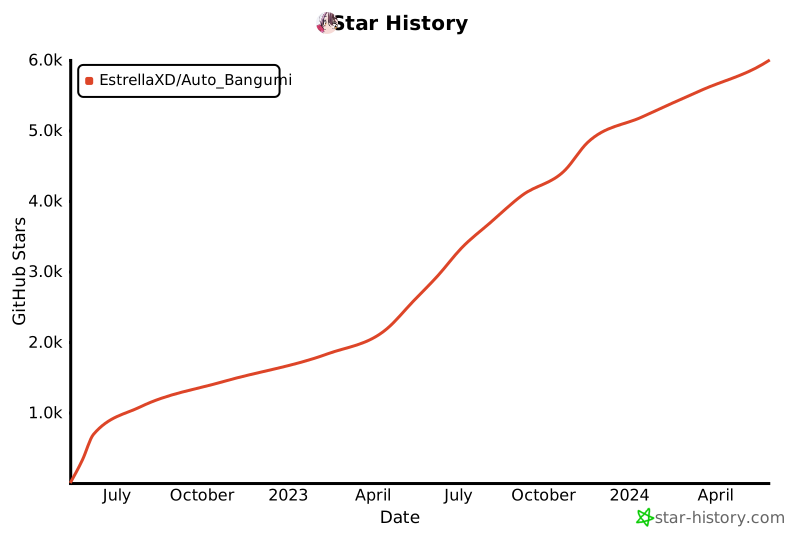](https://star-history.com/#EstrellaXD/Auto_Bangumi)
## Licence
[MIT licence](https://github.com/EstrellaXD/Auto_Bangumi/blob/main/LICENSE)
[mikan]: https://mikanani.me
[plex]: https://plex.tv
[jellyfin]: https://jellyfin.org
## Star History
[](https://star-history.com/#EstrellaXD/Auto_Bangumi)
## Licence
[MIT licence](https://github.com/EstrellaXD/Auto_Bangumi/blob/main/LICENSE)
[mikan]: https://mikanani.me
[plex]: https://plex.tv
[jellyfin]: https://jellyfin.org